Built for research labs
Your entire lab. One connected workspace.
Protocols, experiments, projects, a mouse colony, drugs, genes and calculations in one library — including a controlled-substance logbook that always knows what is on your shelf.
Free while it is being built. Not ready to hand over an address? — it makes a temporary account with a lab already in it.
- Designed by a researcher, for real lab work
- One shared library for your whole lab
- In any browser, phone included
- Your work exports whenever you want
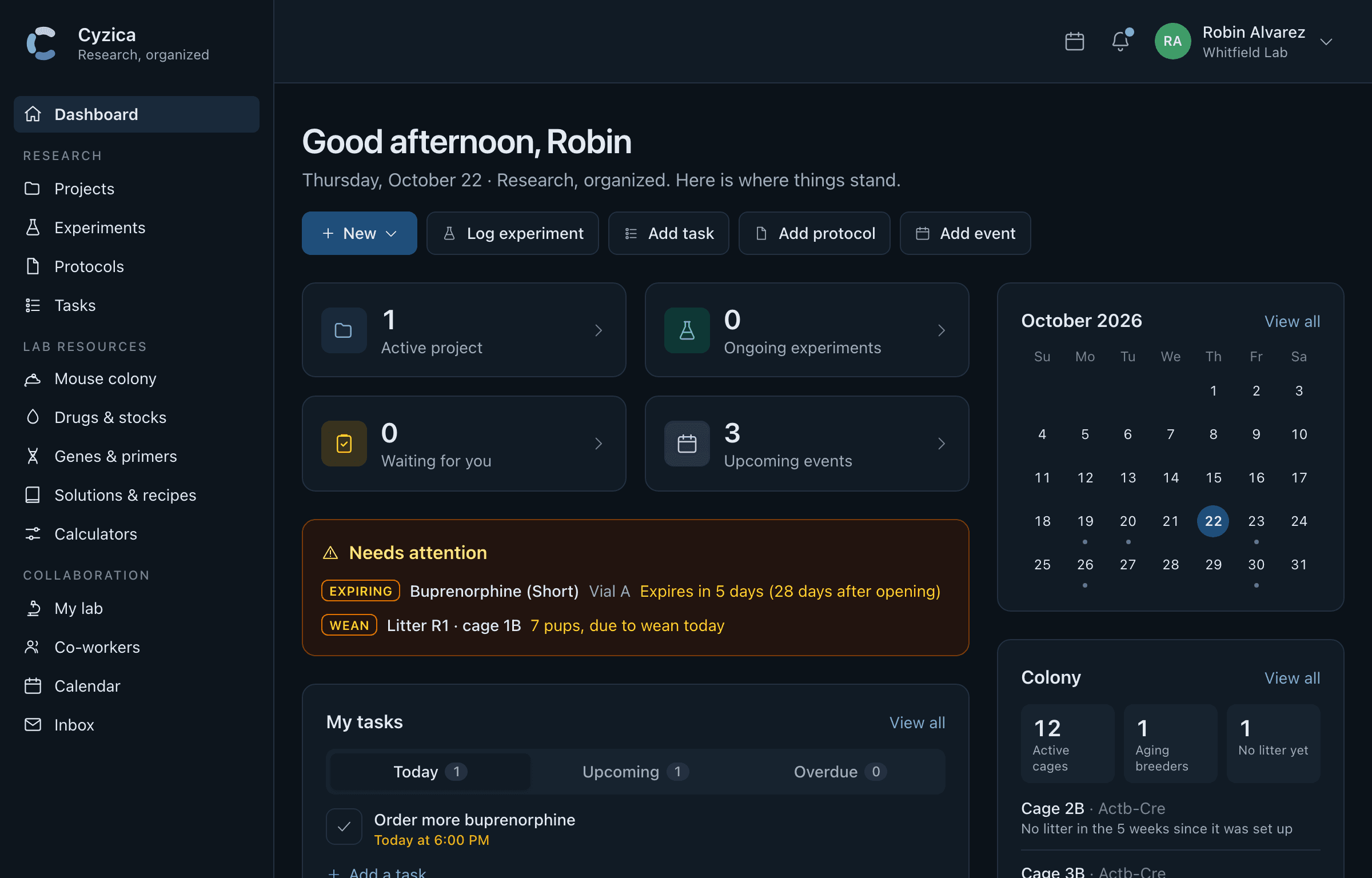
Everything your lab needs
Every tool, connected together.
Your lab’s records in one workspace, pointing at each other — so nothing gets lost and nothing is typed twice.
Protocols
Written procedures with a history that cannot be rewritten
Experiments
Templates, projects as timelines, files and tasks
Mouse colony
Lines, cages, litters, weaning and genotypes
Drugs & stocks
Vials, working stocks, dose factors and a logbook
Solutions & recipes
Components that scale, and dose factors for injectables
Genes & primers
Sequences, primer pairs and PCR programs
Calculators
Master mix, dilutions, molarity — and your own formulas
Sharing
Labs, co-workers, and copies that remember their source
How it works
Your lab already has the pieces. Cyzica connects them.
A template points at what is already in your library. Drop in a drug and it arrives knowing its concentration, its dose factor, and that it owes a log entry. Drop in a gene and both primers and the program come with it.
- 1
Build your lab library
Protocols, drugs, genes, solutions, mice and calculators — shared by the lab.
- 2
Build an experiment template
Drop in what the library already has. It arrives knowing its details.
- 3
Connect records to a project
A record files under a milestone, and the project moves on.
An illustration of how the pieces connect, with made-up names. The screenshots further down are the app itself.
Organize your research
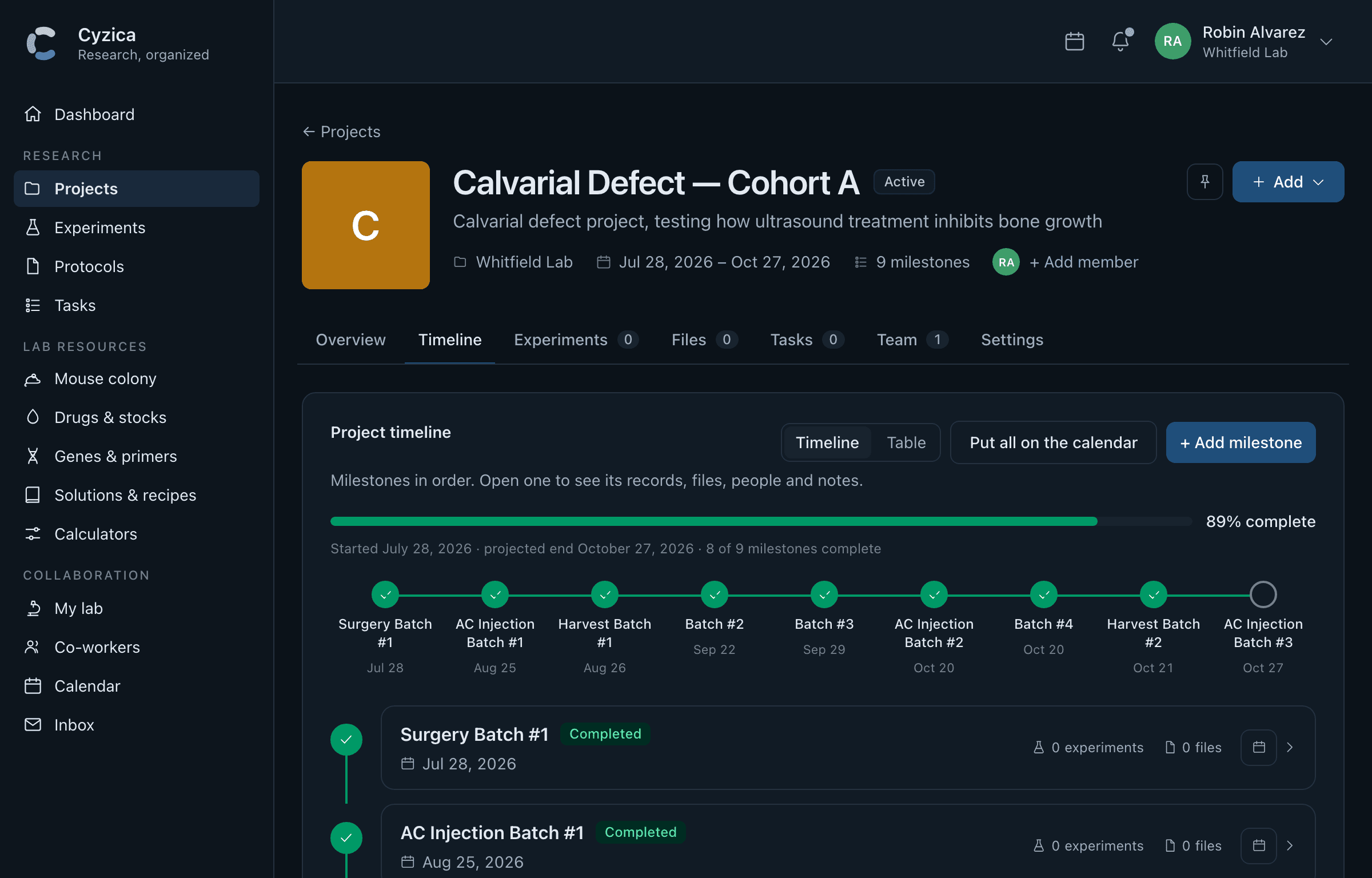
Plan projects, run experiments and keep everything in one place. A template pulls in your protocols, drugs and calculators, so an experiment is written down in a minute.
- Projects as timelines of dated milestones
- Experiment templates built from your own library
- Protocols with a version history nobody can rewrite
- Tasks, files and notes, for a lab or a single person
Manage your mouse colony
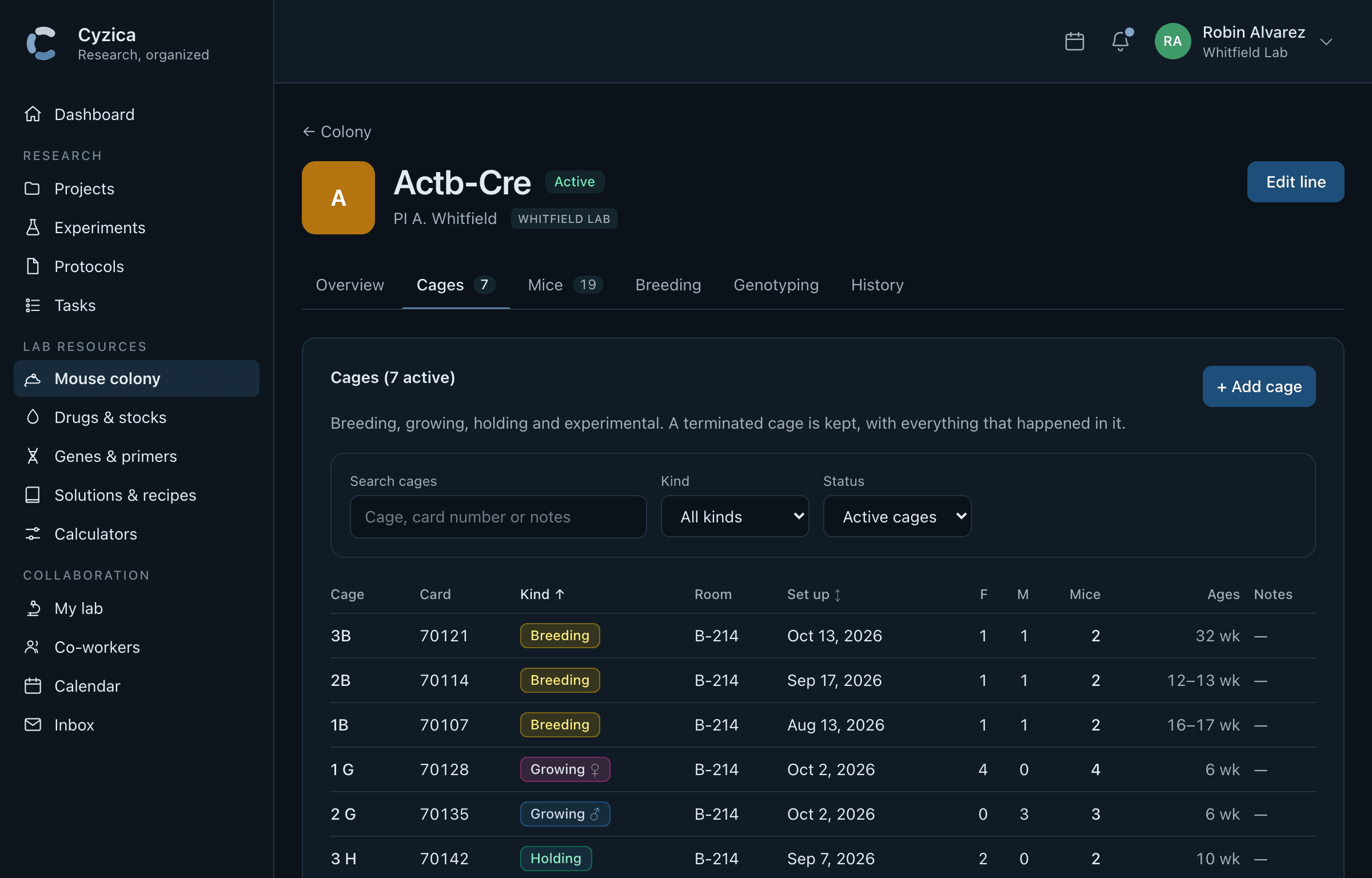
Lines, cages and mice, numbered the way your cage cards already are. Record litters, wean them in one screen, and see what needs tending without opening every cage.
- Cages coloured by kind: breeding, growing, holding, experimental
- Litters counted until weaning, the wean date worked out for you
- Genotypes in the lab’s own codes
- Alerts for litters to wean and breeders past 30 weeks
Built for animal work
Drugs, doses and the logbook
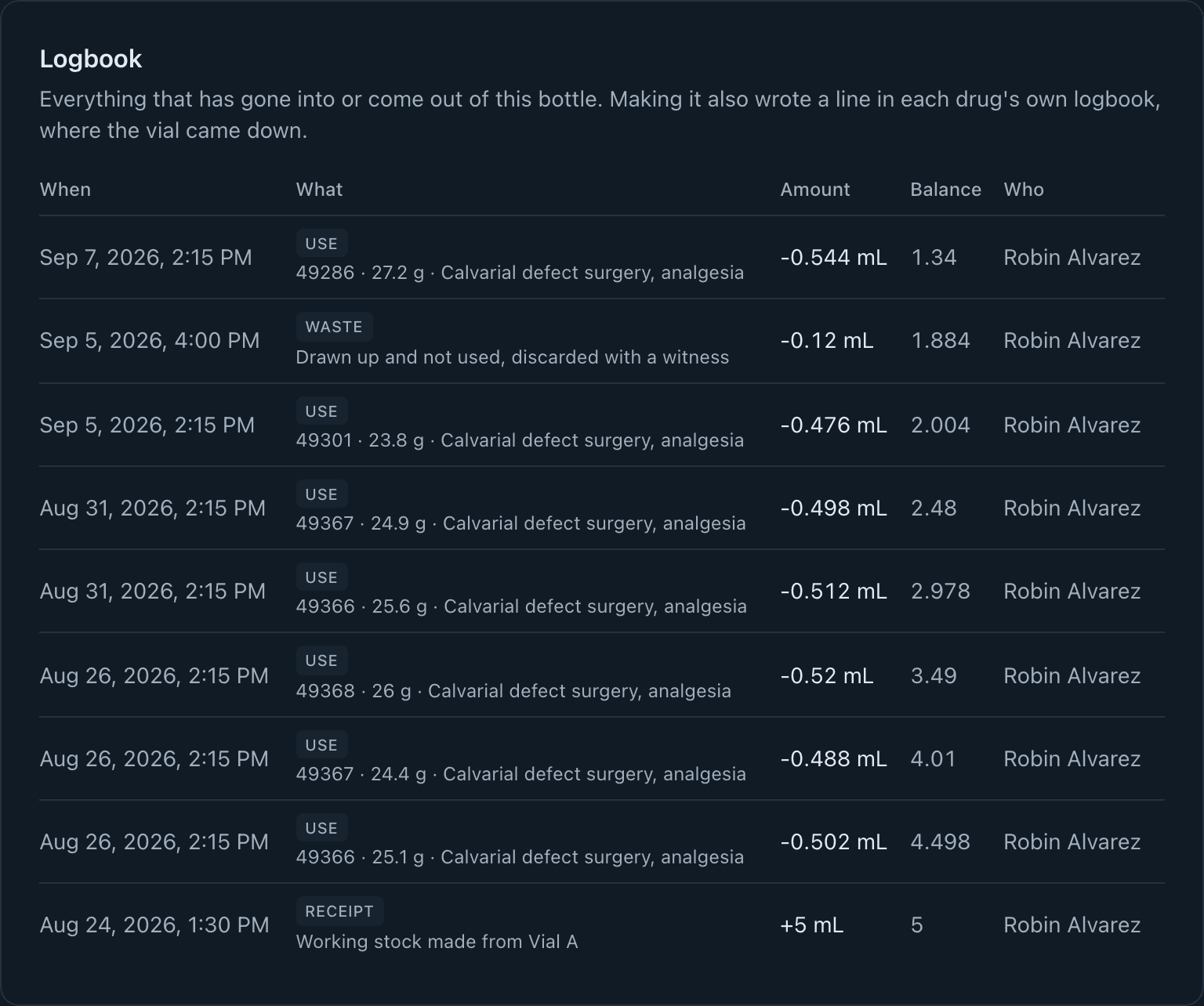
Weight-based dosing and records an IACUC inspector would accept — the work other lab notebooks overlook.
- Vials and working stocks, with what is left in each
- A dose factor gives a volume: a 25 g mouse at ×20 gets 500 µL
- A warning when a stock no longer matches its factor
- An append-only logbook for Schedule III drugs
Lab calculators, built in
The calculations you do every week, inside the record that keeps them — and your own, built from a formula and checked as you type it.
- Master mix with spare reactions
- Dilutions, molarity and percent solutions
- Dose by weight
- Your own calculators, shared with your lab
PCR master mix — try it
| Reagent | Per reaction | To prepare |
|---|---|---|
| 2× master mix | 12.5 µL | 100 µL |
| Template DNAadded to each tube | 2 µL | 16 µL |
| Nuclease-free water | 9.5 µL | 76 µL |
| Forward primer | 0.5 µL | 4 µL |
| Reverse primer | 0.5 µL | 4 µL |
Total volume200 µL
Built to be shared
A lab is one shared library, not a folder each of you keeps.
Everyone in a lab reads the same protocols, drugs and calculators, and a copy always remembers where it came from. Need someone who is not in your lab? Connect with them directly instead.
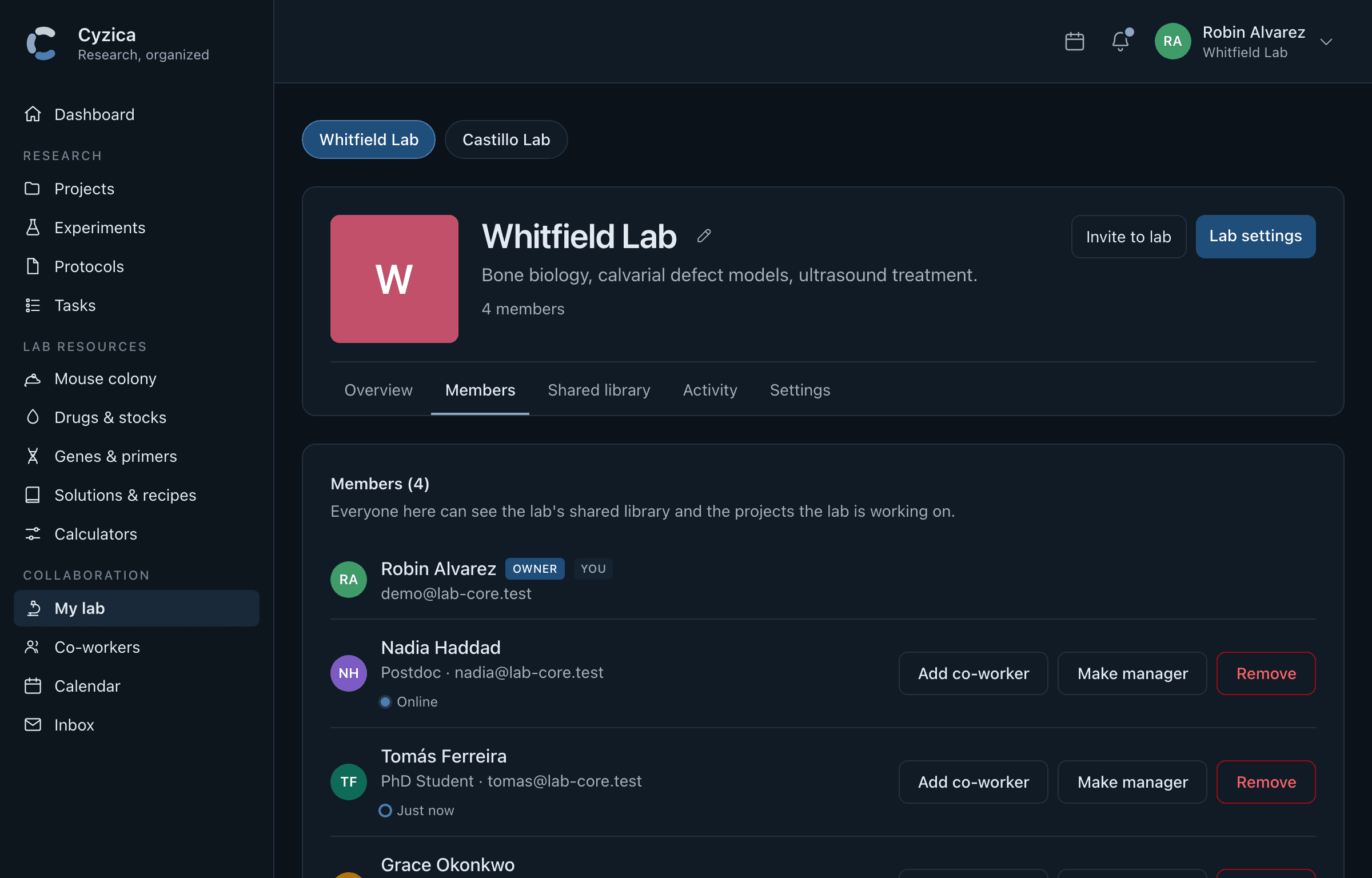
Create or join a lab
Every lab shares one library — protocols, drugs, calculators, everyone in it can read. Search by a lab's exact name or its short code, and an owner or manager decides who gets in.
- One shared library for everyone in the lab
- Owners and managers decide who gets in
- Projects the whole lab can see, edited by the people on them
- In more than one lab? Switch between them in a click
Connect with co-workers
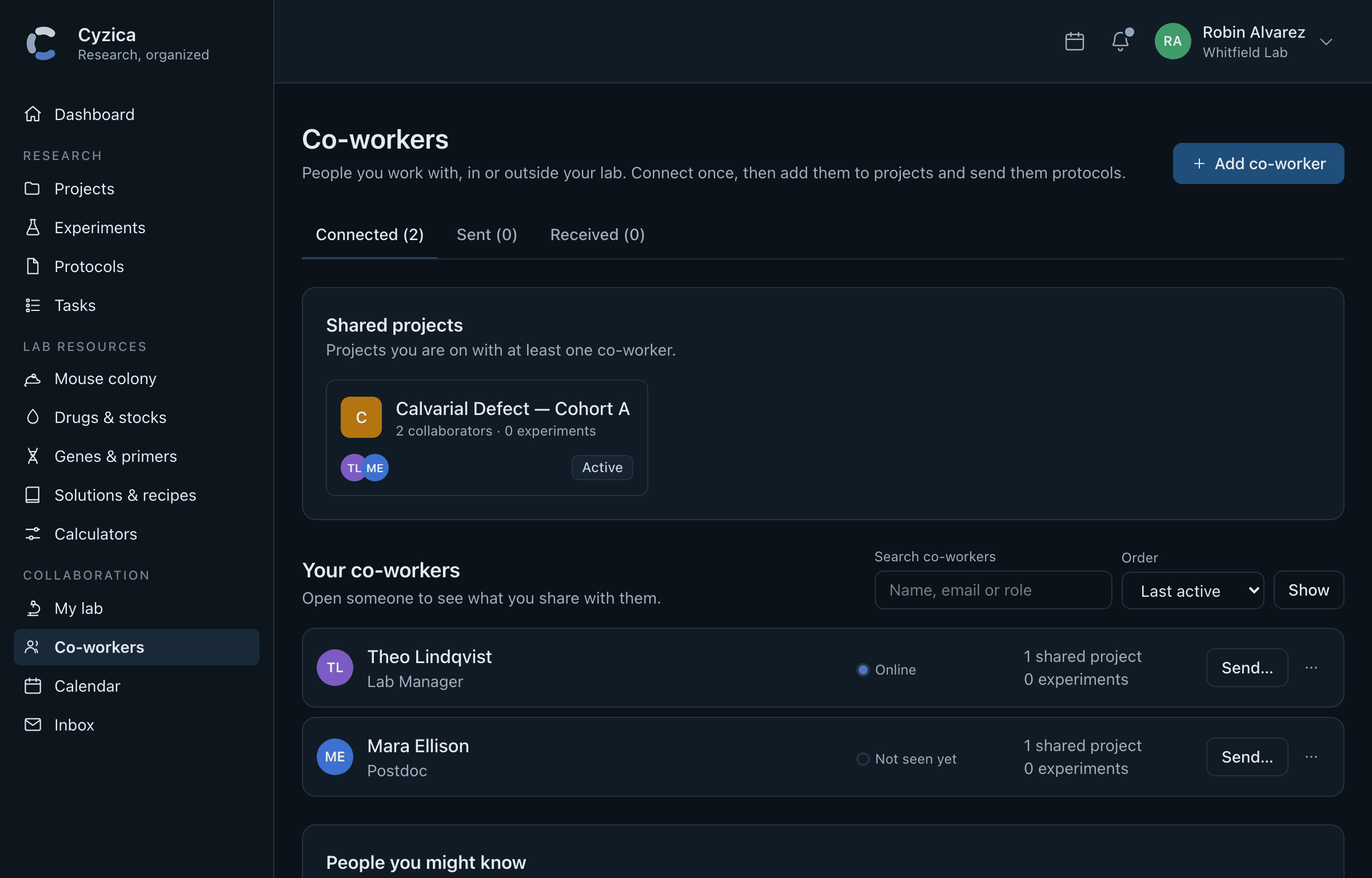
Reach someone outside your lab too. Send a request, then send them a protocol, a template or a calculator directly — no lab required.
- Connect once, in your lab or outside it
- Put them on a project without them joining your lab
- Send a protocol, template, recipe, gene or calculator
- Every copy says where it came from
For labs that are done with spreadsheets
Start organizing your lab today.
Free while it is being built, and your work exports whenever you want it.
Still being built
Cyzica is in active development, and that is worth saying plainly: equipment booking and a phone app are designed for but not yet built. Everything shown above is working today — the pictures are screenshots of it, not drawings of it.
There is a feedback link inside, and it carries the page you were on when you used it — so “this is confusing” arrives with the page it is about.